Sell the whole setup, not just the deck.
A build button on every deck page. Your shopper picks trucks, wheels, bearings, hardware and grip, then adds the whole board to the cart in one tap.
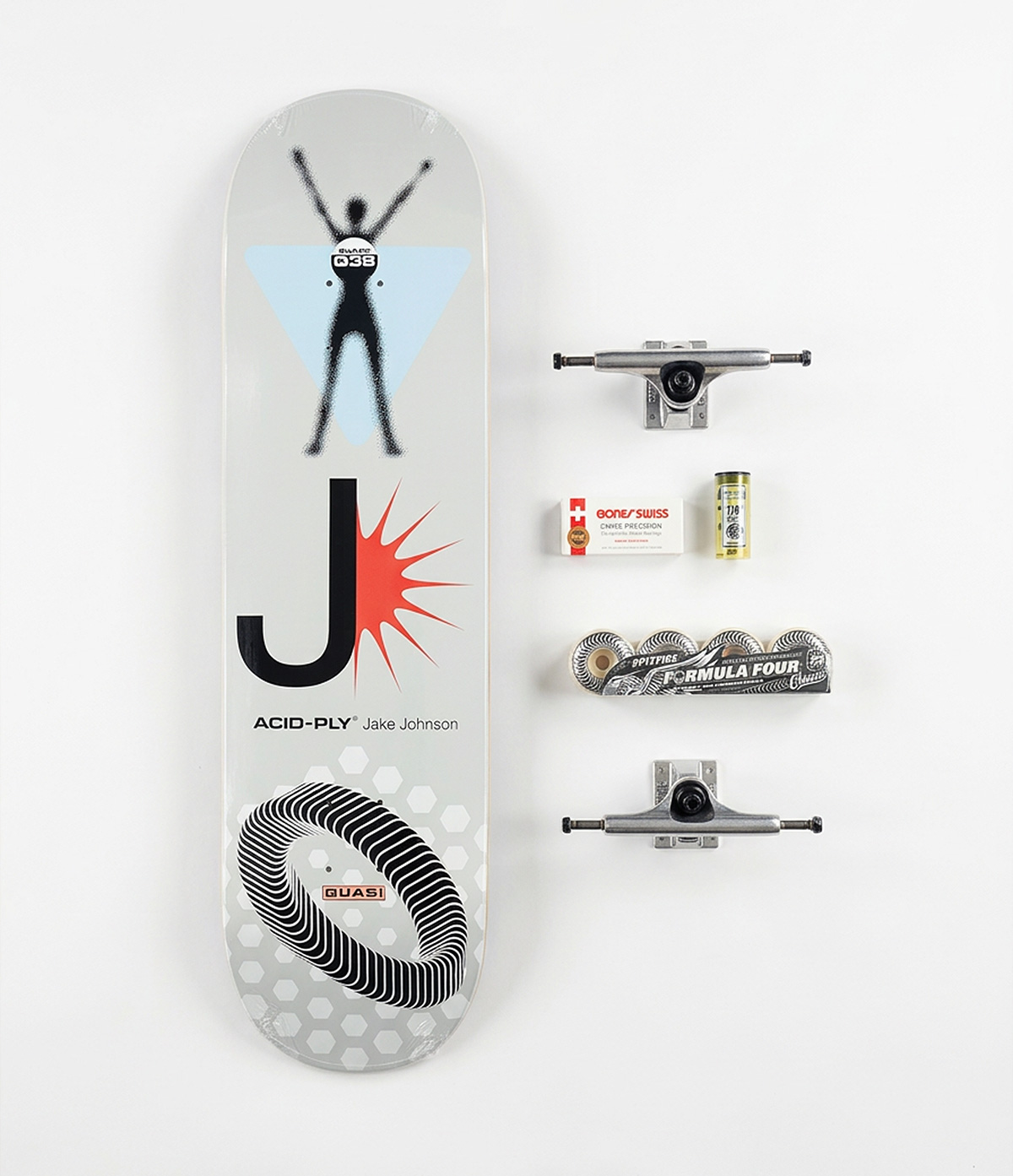
This is what your shopper sees.
It opens over your product page in your own theme, and closes back onto it.
The button shows up on the right pages
Point it at your decks by collection, tag, product type or metafield. The button appears there and nowhere else.
They walk the steps in any order
The deck they were looking at comes pre-picked. Real photos, real stock, real variants. No step is gated.
One add to cart, or none at all
Every part goes in as one call. If a wheel sells out mid-build the whole add is refused, so nobody gets half a cart.
Two more chances to add to the order.
Someone who has just committed to a $241 board is the easiest upsell in the shop.
Accessories, as many as they want
The last step takes more than one thing. Tools, wax, bushings, spare bolts, stickers, whatever you stock.
Have us build it before it ships
A flat fee you set, offered once on the review screen, and only when the build is actually complete. Nothing to assemble otherwise.
Six parts.
Six line items.
One build.
Most bundle apps collapse a complete into one SKU. Then your warehouse cannot pick it and your stock counts drift.
Inventory decrements per part, exactly as if they had been bought separately.
The grouping rides onto the order, so whoever packs the box sees which parts make which board.
Shoppers can edit a build from the cart and swap one wheel without starting over.
It reads your catalog. You do not rebuild it.
Sizes are the part most configurators make you type in by hand. This one reads them from listings you already have, because it knows what a skateboard size looks like.
A deck listed as 31.95 by 8.25 has two numbers in it and only one of them is a width. Deck widths live between 7 and 10.5 inches. Lengths never do.
A part with no size is never hidden from shoppers. It sorts last, under a line that says so.
Rules, not restructuring
Point each step at a collection, a tag, a product type or a metafield. Match on any of them at once.
Your steps, your order
Rename them, reorder them, mark one optional. Add an accessories step where they can take several things.
Filters that earn their place
A filter appears only when picking a value would narrow the list. One option is not a filter.
No theme code
Drop the block onto your deck template in the theme editor. Nothing is injected and nothing is overwritten.
The things a shop owner actually asks.
Anything not answered here, mail help@fordailyuse.com and a person replies.
Will it work with my theme?
You drop it onto your deck template in the theme editor. Nothing is injected into your code and it renders in its own layer, so neither side can break the other. Needs Online Store 2.0.
How long does setup take?
The steps arrive named and in order. Most of the work is pointing each at a collection or tag you already use. A tidy catalogue is a coffee, not an afternoon.
Will it slow my product pages down?
A deck page loads about three kilobytes. The builder is only fetched when somebody presses the button.
Do I have to fill in sizes?
No. Sizes only power filters, and a part with no size still shows and still sells. When you want them, the app reads what it can and asks before writing anything.
What happens if I uninstall?
Settings are held for 48 hours in case you change your mind, then deleted. The sizes live on your own products as Shopify metafields, so they stay in your admin.
Can I make it look like my shop?
The button wording and the builder's title are yours to set. Every colour and typeface is a CSS variable, so a developer can match your palette.
Thirty days free. Then pick a rhythm.
One custom build pays for the year. You approve the charge on Shopify’s own screen and it lands on your usual bill.
Early Bird Pricing
Save $45The rate you join at is the rate you keep. It cannot be raised on you later.
Get launch access30 days free first
Monthly
Cancel from your Shopify admin whenever you like.
Get launch access30 days free first
Be on it the day it lands.
One email when it goes live on the Shopify App Store, with the founding rate attached. Nothing else, ever.